

Time:2025-10-15
Are you looking to improve energy efficiency and enhance security in your space? Ceiling occupancy sensors are a great solution. These devices detect motion in a room and automatically control lighting or other systems, ensuring they are only in use when needed. In this guide, we'll walk you through the process of installing ceiling occupancy sensors, providing you with the information you need to make the installation smooth and successful.
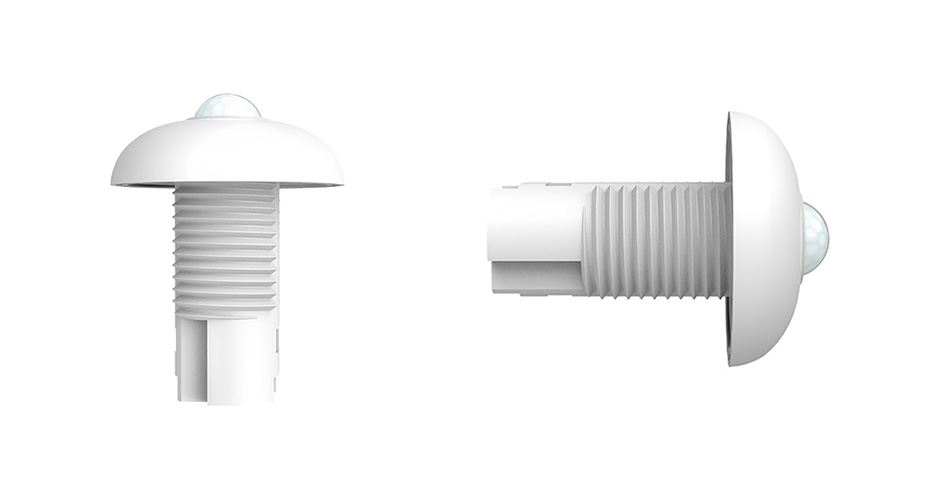
Ceiling occupancy sensors are designed to detect motion and presence in a room. They are typically installed on the ceiling and use technologies such as infrared or ultrasonic waves to sense movement. Once movement is detected, the sensor sends a signal to control systems like lighting, HVAC, or security systems. This automatic control can lead to significant energy savings and increased convenience.
Energy Efficiency: By ensuring lights and other systems are only active when needed, these sensors help reduce energy consumption.
Convenience: Automatic control means you don't have to remember to turn off lights or adjust settings.
Enhanced Security: Motion sensors can alert you to the presence of unexpected guests or intruders.
Before you start the installation process, gather the necessary tools and materials. This will help you work more efficiently and avoid interruptions.
Drill
Screwdriver
Wire stripper
Ladder
Voltage tester
Materials
Ceiling occupancy sensor
Mounting bracket (if required)
Screws and anchors
Electrical tape
Wire connectors
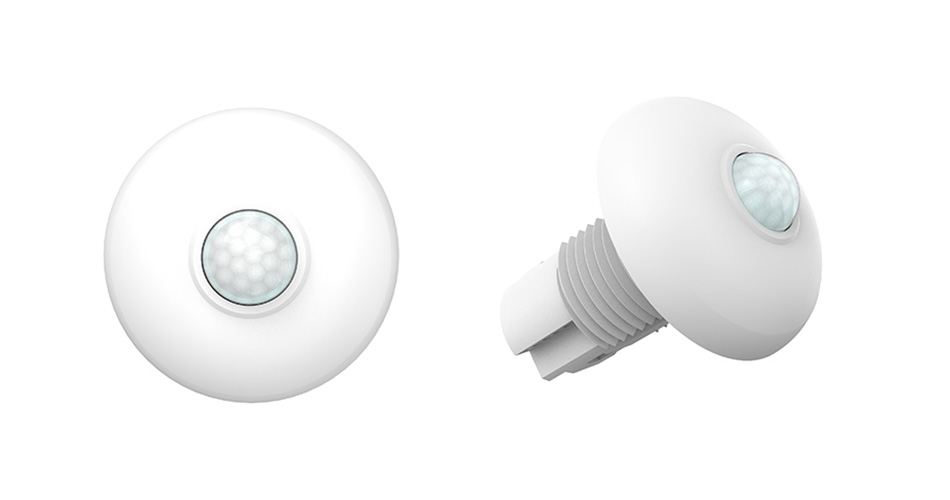
Selecting the appropriate sensor for your space is crucial. Consider the room size, ceiling height, and the type of motion technology (infrared, ultrasonic, or dual technology) that best suits your needs. Some sensors are better for large open areas, while others are designed for smaller spaces.
Safety first! Before starting the installation, turn off the power to the circuit where you'll be working. Use a voltage tester to ensure the power is off before proceeding.
Determine the optimal locati0n for the sensor on the ceiling. It should be positioned where it can effectively cover the entire room. Avoid placing it near vents, fans, or other sources of air movement, as these can cause false triggers.
If your sensor requires a mounting bracket, attach it to the ceiling using screws and anchors. Ensure it is secure and level.
Carefully strip the ends of the wires from the sensor and the ceiling circuit. Connect the wires according to the manufacturer's instructions, typically matching colors (e.g., black to black, white to white). Use wire connectors to secure the connections, and wrap them with electrical tape for added safety.
Secure the sensor to the mounting bracket. Ensure it is firmly attached and facing the correct direction for optimal coverage.
Once the sensor is installed, turn the power back on and test the sensor to ensure it is functioning correctly. Walk around the room to check if the sensor detects motion and activates the connected systems as expected.
If the sensor is not detecting motion, check the following:
Ensure the power is on and the sensor is properly connected.
Verify the sensor is positioned correctly and not blocked by objects.
Adjust the sensitivity settings if available.
If the sensor is activating when it shouldn't, consider these solutions:
Relocate the sensor away from air vents or heat sources.
Check for any loose wires or connections.
Adjust the sensitivity or delay settings on the sensor.
Regularly clean the sensor lens to prevent dust or dirt buildup, which can affect performance.
Periodically check the connections to ensure they remain secure.
Test the sensor occasionally to ensure it continues to function properly.
Installing ceiling occupancy sensors can greatly enhance the energy efficiency and security of your space. By following this guide, you can successfully install these devices and enjoy the benefits of automated control. Remember to prioritize safety throughout the installation process and consult a professional if needed. With these sensors in place, you'll contribute to a more sustainable and convenient environment.


)
)
)
)

+86 15899791249

+86 755 2955 3313


Address: Huafeng No.1 Science and Technology Park, Sanwei, Bao'an District, Shenzhen, Guangdong, China.
