

Time:2025-11-04
In commercial smart lighting systems, the photocell’s operation threshold— the light level at which it triggers lights on or off—directly impacts energy efficiency, user experience, and operational reliability. Too high a threshold (sensitive to minimal light changes) leads to frequent false triggers; too low, and lights stay on unnecessarily during daylight hours. For businesses managing outdoor or semi-outdoor spaces like parking lots, warehouse yards, or retail exteriors, mastering photocell operation threshold adjustment procedures is essential to unlock the full value of their smart lighting solutions. This article breaks down the critical steps,scene-specific considerations, and best practices for effective threshold adjustment, ensuring photocells align with commercial lighting needs.
Commercial environments face dynamic light conditions—seasonal changes, cloud cover, building shadows, and even nearby light sources—that demand flexible photocell thresholds. A one-size-fits-all setting fails to adapt: for example, a photocell calibrated for summer dusk will activate lights too early in winter, wasting energy. Conversely, a threshold set for open parking lots may not work for shaded warehouse loading docks, leaving spaces unlit when needed.
Poorly adjusted thresholds also undermine the core benefits of commercial smart lighting. Energy savings plummet when lights run during daylight, while safety risks rise if lights delay activation at dusk. Additionally, inconsistent triggering strains maintenance teams, who must troubleshoot avoidable malfunctions. Photocell operation threshold adjustment procedures resolve these issues by tailoring sensor performance to real-world conditions, creating a balance between efficiency and reliability.
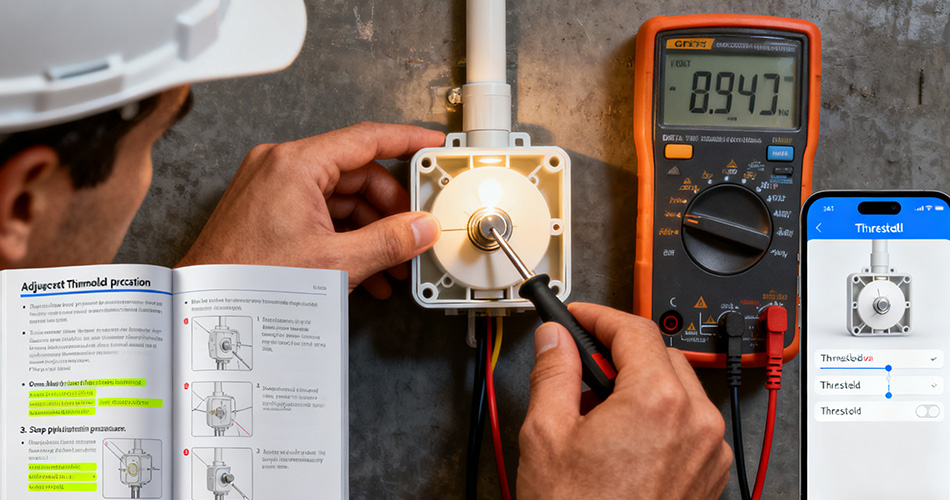
Effective threshold adjustment follows a structured, iterative process to ensure accuracy. Below are the key steps:
Start by defining the lighting goals for the space: Is the priority energy savings (minimize daylight operation) or safety (ensure early activation at dusk)? Next, gather tools: a light meter (to measure ambient light levels), a notebook for recording data, and access to the photocell’s adjustment interface (physical dial, remote controller, or cloud-based platform via a gateway). Turn off the photocell’s automated mode temporarily to avoid interference during setup.
Record ambient light readings at critical times: midday (peak daylight), late afternoon (dusk transition), and dawn. For commercial spaces like retail exteriors, also note light levels during overcast weather or when nearby signage is on. These measurements establish a baseline to set realistic thresholds—for example, a parking lot may need lights to activate when ambient light drops below 200 lux (dusk transition) and turn off when it exceeds 500 lux (mid-morning).
Use the photocell’s adjustment interface to input initial on/off thresholds based on baseline data. For most outdoor commercial spaces:
On-threshold: 100–200 lux (triggers lights as dusk falls)Off-threshold: 400–600 lux (turns lights off as sunrise brightens)
Avoid setting thresholds too close together (e.g., 150 lux on/200 lux off), as this can cause flickering when light levels fluctuate. A 200–300 lux gap between on and off settings prevents this issue.
Reactivate the photocell’s automated mode and monitor performance over 2–3 days. Check:
Do lights activate at the desired dusk time (e.g., 15 minutes before full darkness for safety)?Do they stay off during cloudy afternoons or when reflective surfaces bounce light?Is there flickering during dawn/dusk transitions?
Adjust thresholds incrementally if issues arise. For example, if lights turn on too early, raise the on-threshold by 50 lux; if they stay on too long at dawn, lower the off-threshold by 100 lux.
Ensure adjusted thresholds work seamlessly with other commercial smart lighting components. For instance, verify that a photocell’s dusk trigger signals the controller to dim lights gradually instead of full brightness. Use remote management tools (via gateways) to track threshold performance remotely, setting alerts if the photocell deviates from desired settings.
Record the final thresholds, date of adjustment, and baseline light data. Include notes on environmental factors (e.g., “Adjusted on-threshold to 180 lux due to heavy tree shade”). This documentation simplifies seasonal recalibrations and troubleshooting for maintenance teams.
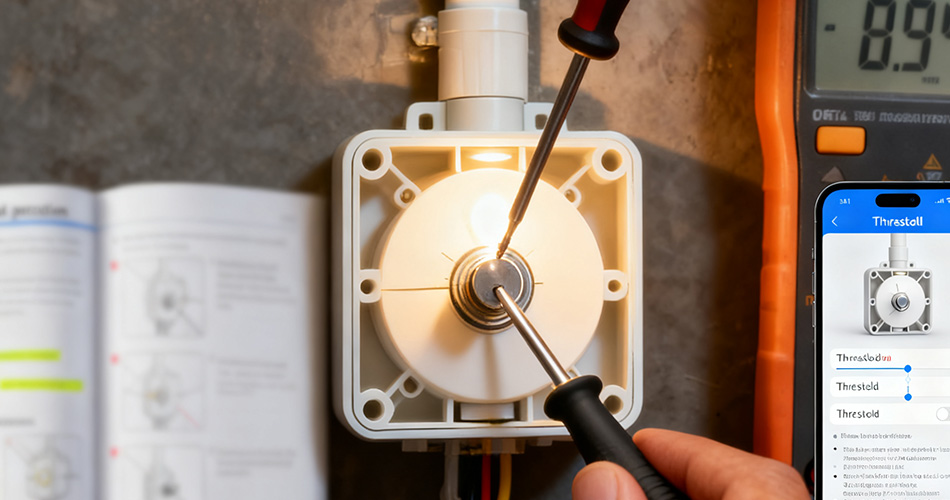
Different commercial spaces require tailored adjustments:
- Warehouse Yards: Prioritize safety—set on-thresholds to 150 lux (earlier activation) to illuminate loading docks during dusk transitions. Off-thresholds can be higher (500 lux) to leverage morning daylight.
- Retail Exteriors: Balance visibility and energy savings—set on-thresholds to 120 lux to activate signage lights as dusk falls, ensuring storefront visibility. Off-thresholds at 400 lux prevent lights from running into mid-morning.
- Campus Walkways: Avoid light pollution—use lower on-thresholds (100 lux) to keep lights off until truly dark, and higher off-thresholds (600 lux) to turn them off promptly at dawn.
To maintain optimal thresholds:
- Recalibrate seasonally—adjust thresholds by 50–100 lux in winter (earlier dusk) and summer (later dusk).
- Inspect photocells quarterly—clean dust or debris from lenses, as buildup can skew light readings and require threshold adjustments.
- Integrate with smart sensors—pair photocells with motion sensors to override thresholds if a space is unoccupied, further saving energy.
Photocell operation threshold adjustment procedures are a cornerstone of effective commercial smart lighting management. By following structured preparation, measurement, testing, and fine-tuning, businesses ensure photocells deliver consistent, efficient performance tailored to their unique spaces. Properly adjusted thresholds not only cut energy costs but also enhance safety and reduce maintenance burdens, making them a critical step in maximizing the value of smart lighting investments.
For organizations leveraging end-to-end commercial smart lighting solutions—including photocells, controllers, and remote management tools—threshold adjustment becomes a seamless part of ongoing system optimization. The result is a lighting infrastructure that adapts to changing conditions, supports business goals, and operates reliably year-round.


)
)
)
)

+86 15899791249

+86 755 2955 3313


Address: Huafeng No.1 Science and Technology Park, Sanwei, Bao'an District, Shenzhen, Guangdong, China.
