

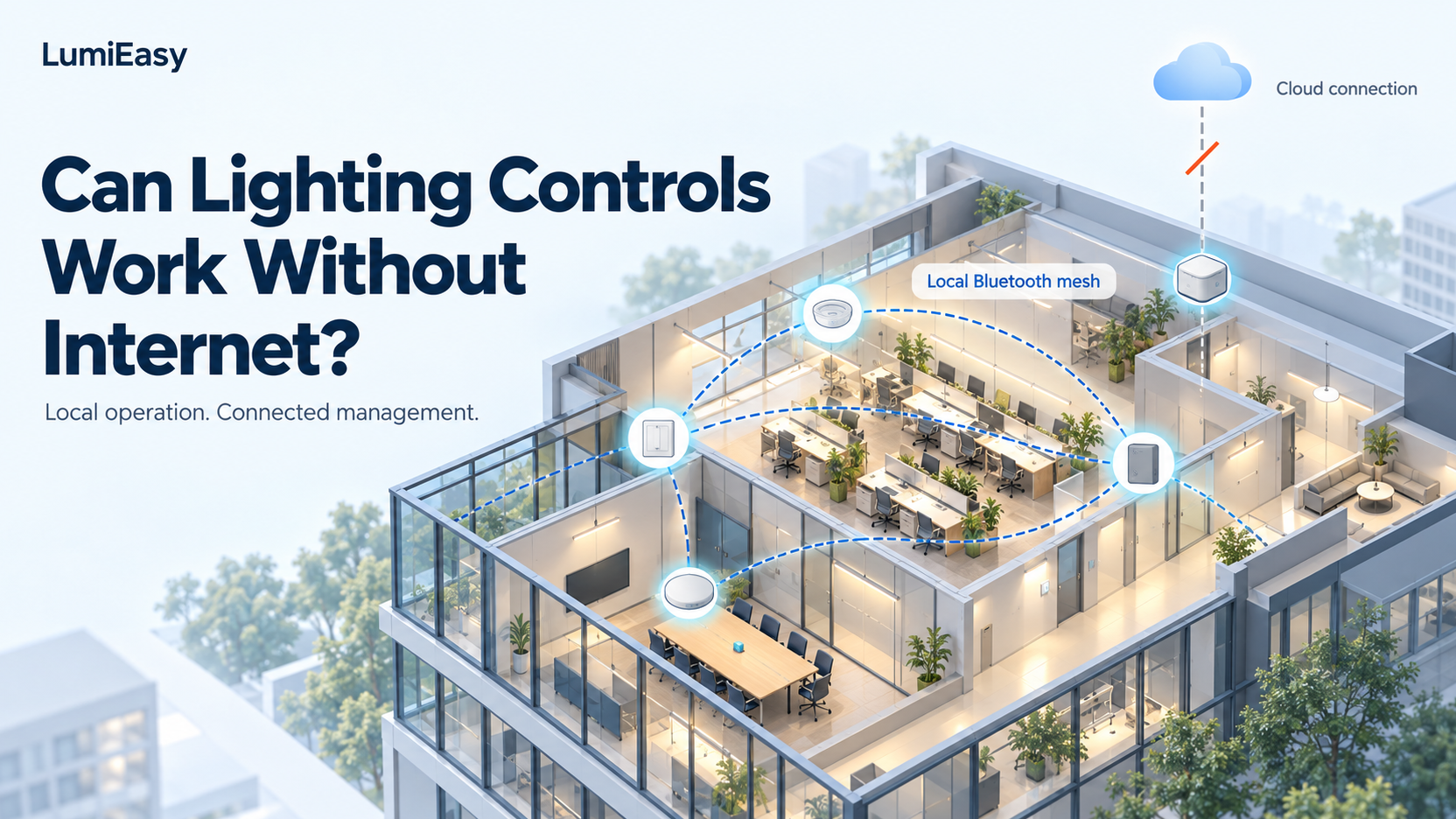
Yes. Commercial lighting controls can work without internet when the installed devices handle sensing, switching, and dimming within the local lighting network. Remote access and cloud reporting need a separate connection. LumiEasy offers local Bluetooth mesh control without Wi-Fi, alongside gateway-connected options for remote management and energy data analysis. See the LumiEasy system overview.
For a facility manager, the practical question is which functions staff can use during a connection outage. A corridor sensor, a meeting-room switch, and an off-site dashboard may depend on different equipment. Before selecting a system, identify those dependencies and ask the supplier to demonstrate the required behavior.
How does local lighting control work without internet?
In a local control arrangement, a sensor or switch sends a command through the lighting network to a compatible controller. The controller adjusts the connected LED driver or lighting load. The devices can exchange these messages inside the building without sending each command to a cloud service.
The Bluetooth SIG explains that Bluetooth mesh supports sensor-to-light communication without a centralized router. Its Bluetooth mesh networking primer describes occupancy response, light-level control, and scenes as lighting applications of the technology. Manufacturers still need to implement and configure the relevant functions in their products.
A project team might specify this local arrangement:
Occupancy or daylight sensor / wall switch → local Bluetooth mesh network → compatible lighting controller → LED driver and luminaire
For remote management, the team adds a connected path:
Local lighting network → compatible gateway → building network and internet → cloud platform
The electrical contractor must still provide power and connect the controller to the load. Wireless communication reduces the need for dedicated control cabling; it does not remove the electrical installation work.
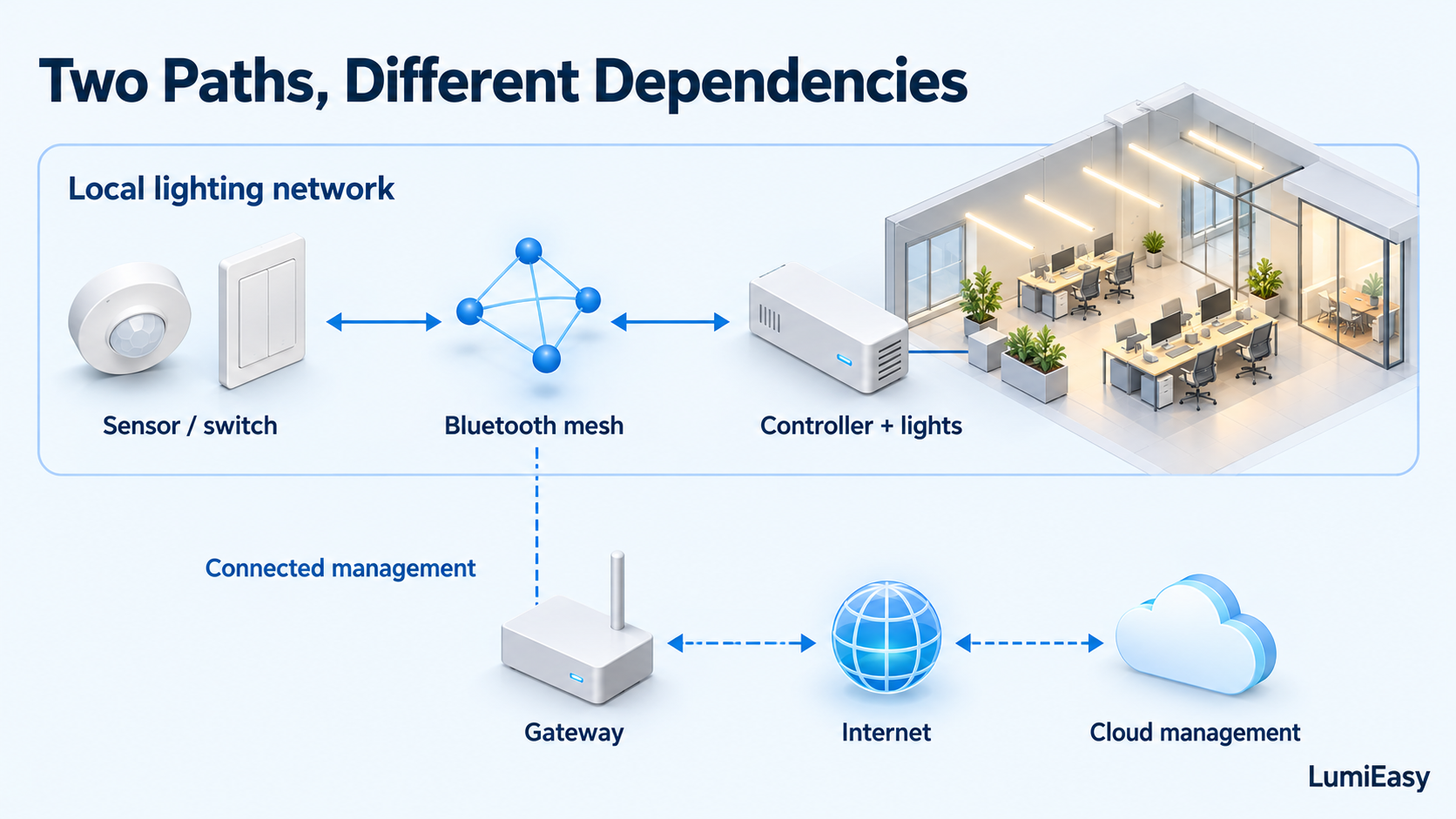 Local control and cloud management follow different communication paths.
Which lighting functions need an internet connection?
Local sensing and switching can operate without internet when the selected devices support those functions. Off-site cloud commands and fresh data uploads require a working connection between the lighting network and the cloud. Confirm where the system stores schedules, credentials, and control settings before treating them as available offline.
| Function | What the project should establish |
|---|---|
| Occupancy-based switching or dimming | Sensors and controllers execute the required response within the local network. |
| Daylight response | The selected sensor and controller maintain the configured local dimming behavior. |
| Wall-switch commands and scene recall | Staff can operate the assigned groups without a cloud round trip. |
| On-site app access | The installed app version supports the required tasks, including its login and project-access requirements. |
| Time schedules | The team identifies the device that stores the schedule, maintains time, and executes events. |
| Off-site control | The gateway, internet connection, and cloud service provide a working end-to-end path. |
| Cloud energy reporting | The team confirms upload frequency, outage storage, and whether missing records can upload after reconnection. |
Use this table as a specification checklist. The Bluetooth mesh label alone does not confirm an app's offline login behavior, a gateway's data storage, or a controller's schedule retention.
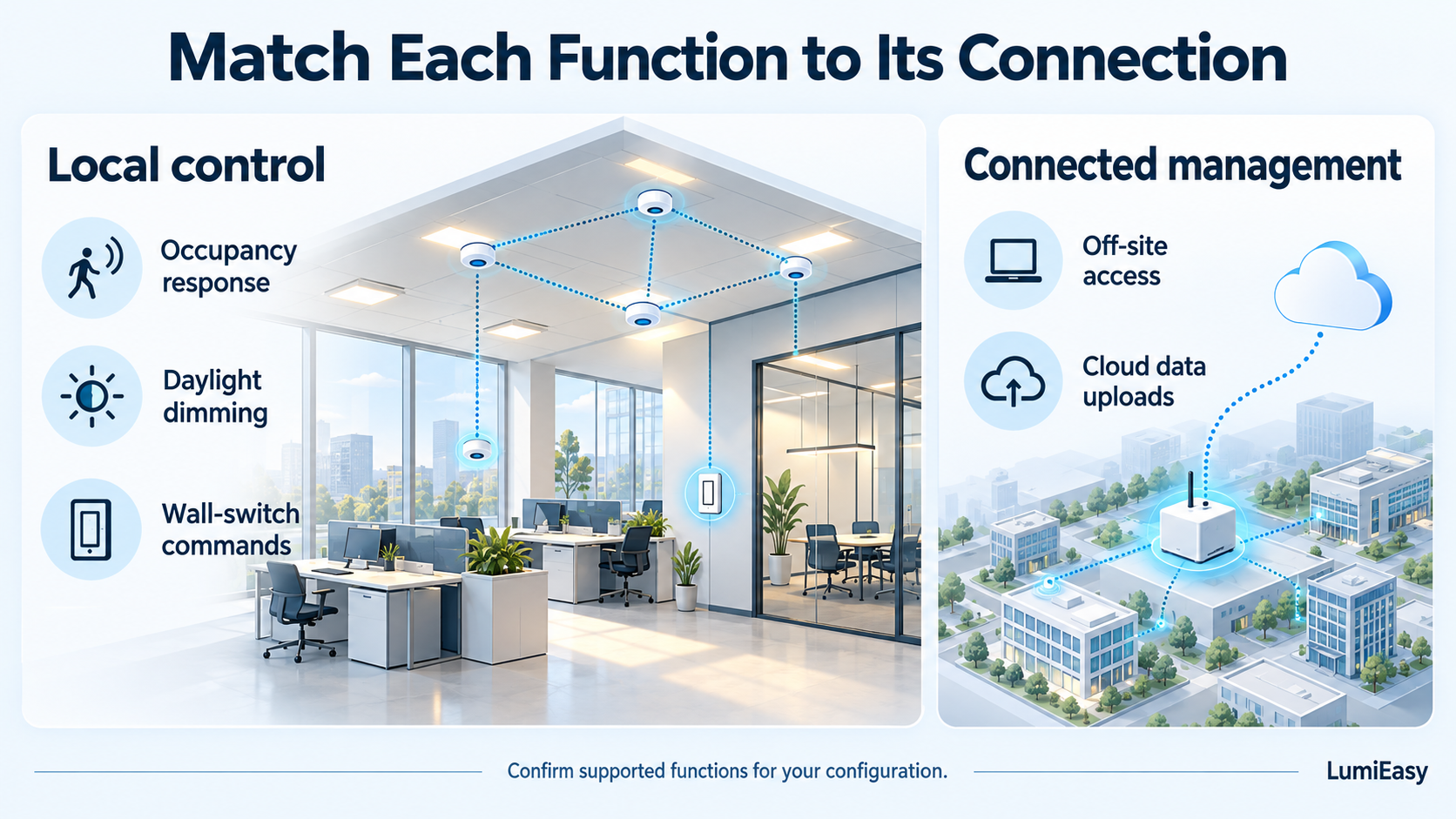 Confirm which functions the selected configuration executes locally.
Which LumiEasy products support a local control design?
LumiEasy supplies sensing, load-control, and user-interface products for commercial lighting projects. Its published product information gives buyers a starting point for selecting these roles. Ask LumiEasy to confirm the exact combination, firmware, and commissioning method before finalizing the equipment schedule.
Occupancy and daylight input: DC Ceiling Sensor
The LumiEasy DC Ceiling Sensor TL-NE-BPRW-MN-03-02 combines battery-powered PIR sensing and daylight sensing with Bluetooth mesh connectivity. Its product page describes app commissioning and optional gateway-based remote management.
For an office or classroom retrofit, the sensor provides room input while a compatible controller handles the lighting load. Confirm sensor placement, battery maintenance, and the intended response with the selected controller.
Control of existing LED loads: Power Pack
The LumiEasy Power Pack supports 0–10V dimming, app-based grouping, and optional PIR/daylight sensing. LumiEasy lists 10A and 20A relay versions.
For existing luminaires with suitable 0–10V drivers, a power pack gives the contractor a way to add load control to the wireless design. Match the ordered version to the driver interface, LED load characteristics, and wiring arrangement. Confirm the sensor-to-controller behavior required for operation without internet.
Daily staff operation: Smart Wall Switch
The LumiEasy Smart Wall Switch supports wireless mesh control, brightness adjustment, and scenes. LumiEasy also lists an optional built-in gateway version.
A wall switch gives staff a fixed location for daily operation. During setup, assign its groups and scenes, then test how manual commands interact with occupancy and daylight settings. Select the gateway option according to the project's remote-management requirements.
Off-site access: Ceiling Mounted Gateway
The LumiEasy Ceiling Mounted Gateway lists remote and group control, PoE power supply, and an optional Ethernet-port version.
Include a compatible gateway when the project requires the connected management functions that LumiEasy describes. Confirm the ordered power and network options with the building's IT team, along with the local functions that must remain available if staff disconnect the gateway.
What happens if the internet or gateway goes offline?
An internet outage interrupts the external connection. A gateway failure can also interrupt communication between the lighting network and the management platform. Local lighting behavior depends on where the devices execute the control logic and whether the affected equipment also performs another required role.
Test these conditions separately:
| Test condition | What to check on site |
|---|---|
| Internet unavailable, local equipment powered | Walk through the occupancy zones and operate the wall controls. Check which local functions continue and which cloud functions stop updating. |
| Gateway disconnected from the building network | Repeat the local tests and check how the platform presents stale device information. |
| Gateway powered down | Verify that the remaining devices can perform the required local functions. Identify any gateway-dependent behavior. |
| A local controller loses power | Record the effect on its connected load and any impact on nearby communication paths. |
| Connection restored | Check current status, schedule behavior, and any missing energy records. |
An internet-independent design still needs powered controllers, functioning sensors, and adequate wireless coverage. Assess a power interruption as a separate condition from an internet outage.
Example: an office retrofit before network access is ready
Consider an occupied office where the contractor can install lighting controls before the IT team approves a gateway connection. This is an illustrative planning example.
The project team could ask LumiEasy to review a room-level design using ceiling sensors, compatible power packs, and wall switches. During commissioning, the contractor would verify the required occupancy response, daylight dimming, and manual operation with the internet disconnected.
Once IT approves connectivity, the team could commission the selected gateway and remote-management functions. Confirm support for this sequence at the design stage, including whether adding the gateway requires any changes to device configuration.
For the building owner, this approach gives the contractor a defined scope for local operation while IT evaluates remote access. Include both stages in the proposal so the owner can compare the hardware, commissioning work, and management functions included in each.
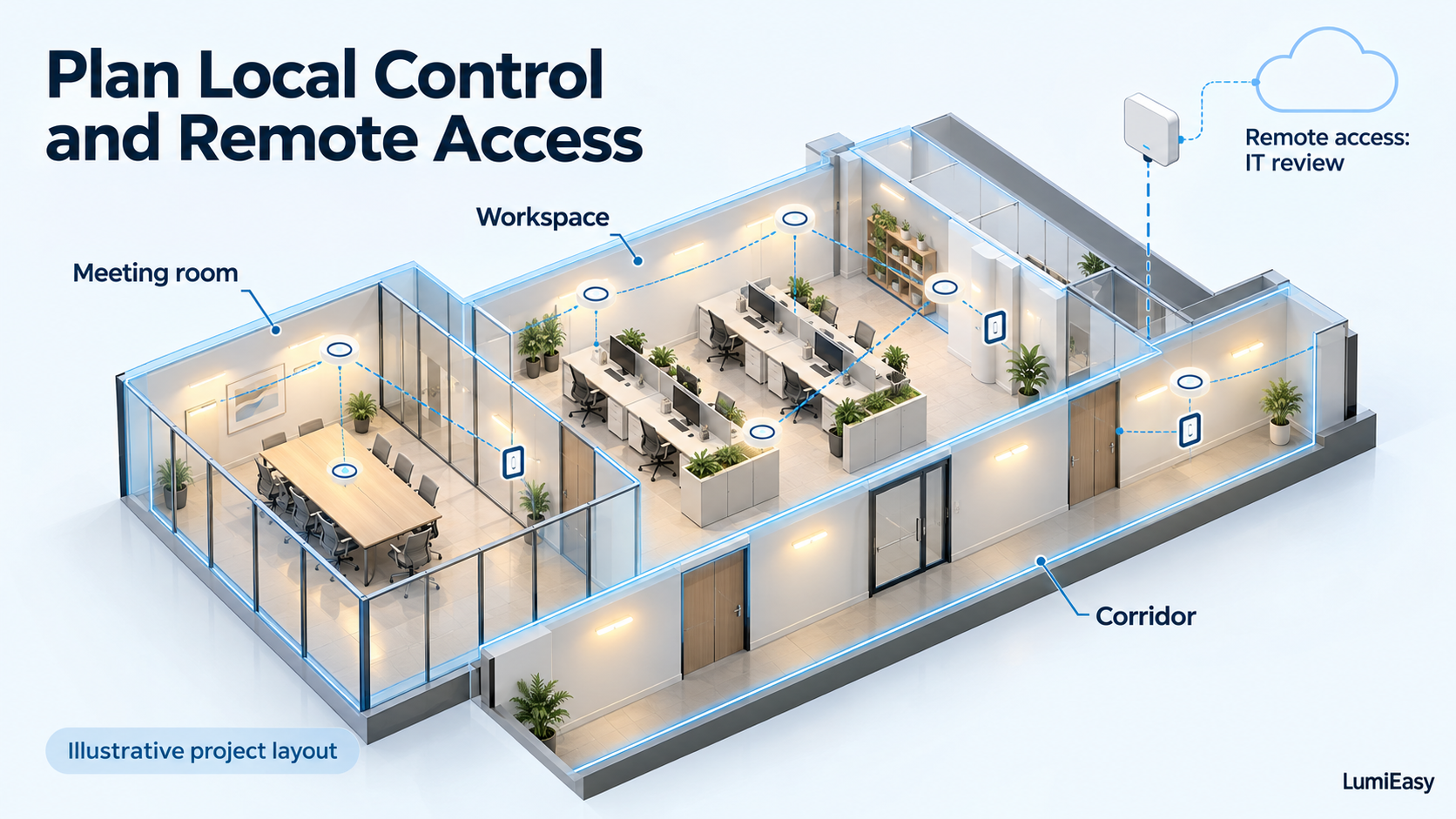 Illustrative project layout; confirm the equipment and control behavior for the actual office.
What should you verify before ordering?
Ask the supplier to demonstrate the functions your staff need during an outage, using the proposed devices and software. Keep the results with the equipment schedule and handover records.
Local operation: Test sensor response, dimming, and wall-switch commands with the internet disconnected and the commissioning phone removed from the area.
App access: Restart the app while offline and check which tasks staff can perform. Record account, credential, and project-access requirements.
Schedules: Identify the execution device. Check event operation, timekeeping, and behavior after a restart if the project relies on schedules.
Gateway independence: Disconnect and power down the gateway in separate tests. Record any effect on local control.
Recovery and records: Restore connectivity and check system status and data gaps. Document any need for manual intervention.
For LumiEasy configuration procedures, use the Commissioning Lights instructions alongside the documentation for the selected hardware and software version.
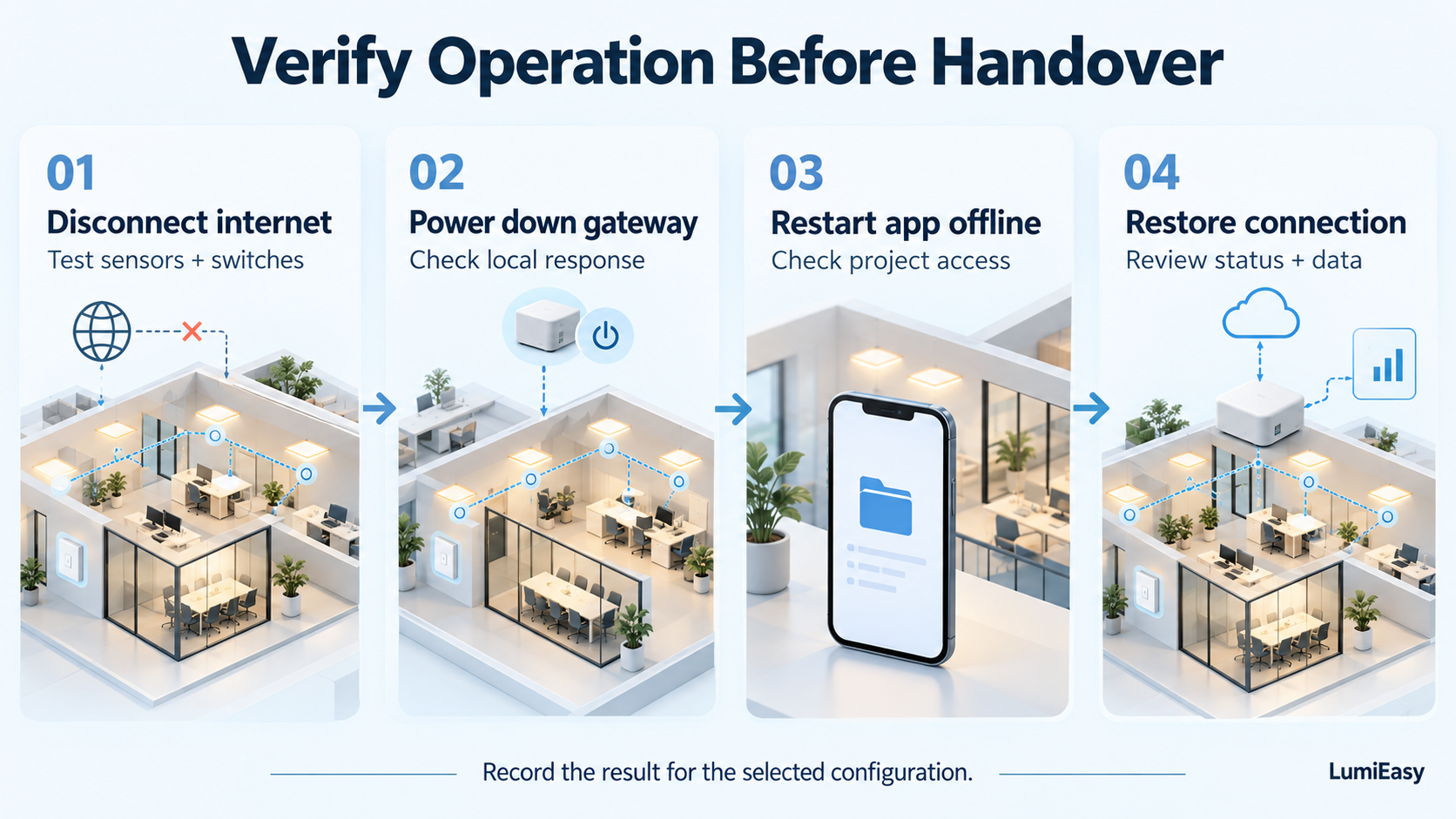 Record the observed behavior during each connection test.
Frequently asked questions
Does Bluetooth mesh lighting need a Wi-Fi router?
Bluetooth mesh devices use Bluetooth communication within their local network, so a Wi-Fi router is not a requirement for exchanging mesh messages. A project may still need Wi-Fi or Ethernet for gateway connectivity, and the commissioning app may have separate account or internet requirements.
Can LumiEasy lighting controls operate without Wi-Fi?
LumiEasy describes local BLE mesh operation without Wi-Fi on its system page. Specify the required functions and have LumiEasy confirm the compatible hardware, firmware, and commissioning method. Test the selected configuration before accepting the installation.
Is a gateway required for occupancy sensing?
A gateway is not inherently required when a compatible sensor and controller execute occupancy logic within the local network. Confirm that arrangement for the selected products. Projects may add a gateway for remote access and data collection.
Will lighting schedules continue during an internet outage?
They can continue if a powered local device stores and executes them and maintains the required time reference. Ask which device performs those tasks, then test the schedule during an outage and after a restart. Confirm this behavior for the proposed configuration.
Can I view live cloud energy data while the building is offline?
The cloud cannot receive fresh uploads through an unavailable connection. Staff may still see historical records. Confirm whether the selected devices store data during an outage and upload it after reconnection; do not assume the system can reconstruct missing records.
Discuss your local and remote control requirements with LumiEasy
Share your floor plan, existing LED driver details, operating hours, and the functions staff need during an internet outage. Include any IT restrictions on gateway connectivity.
Discuss sensors, power packs, wall switches, and gateway options with LumiEasy. Ask for a proposal that identifies the local control functions, the connected management functions, and the verification work needed before handover.


)
)
)
)


