

Time:2026-06-09
Today’s connected networks face major risks if system settings are weak. Giving users broad entry into an app creates severe hazards, as shared accounts or overprivileged junior staff make tracking data impossible. A single leaked password lets attackers scrape customer lists or steal software code, causing fines and breaking trust.
The best fix for these vulnerabilities is granular application permission management. A modern zero-trust authorization model uses strict multi user app permissions to block network risks immediately. Dividing accounts into isolated tiers builds strong enterprise data security and corporate data protection, stopping password leaks while allowing security teams to track actions across all user profiles easily.
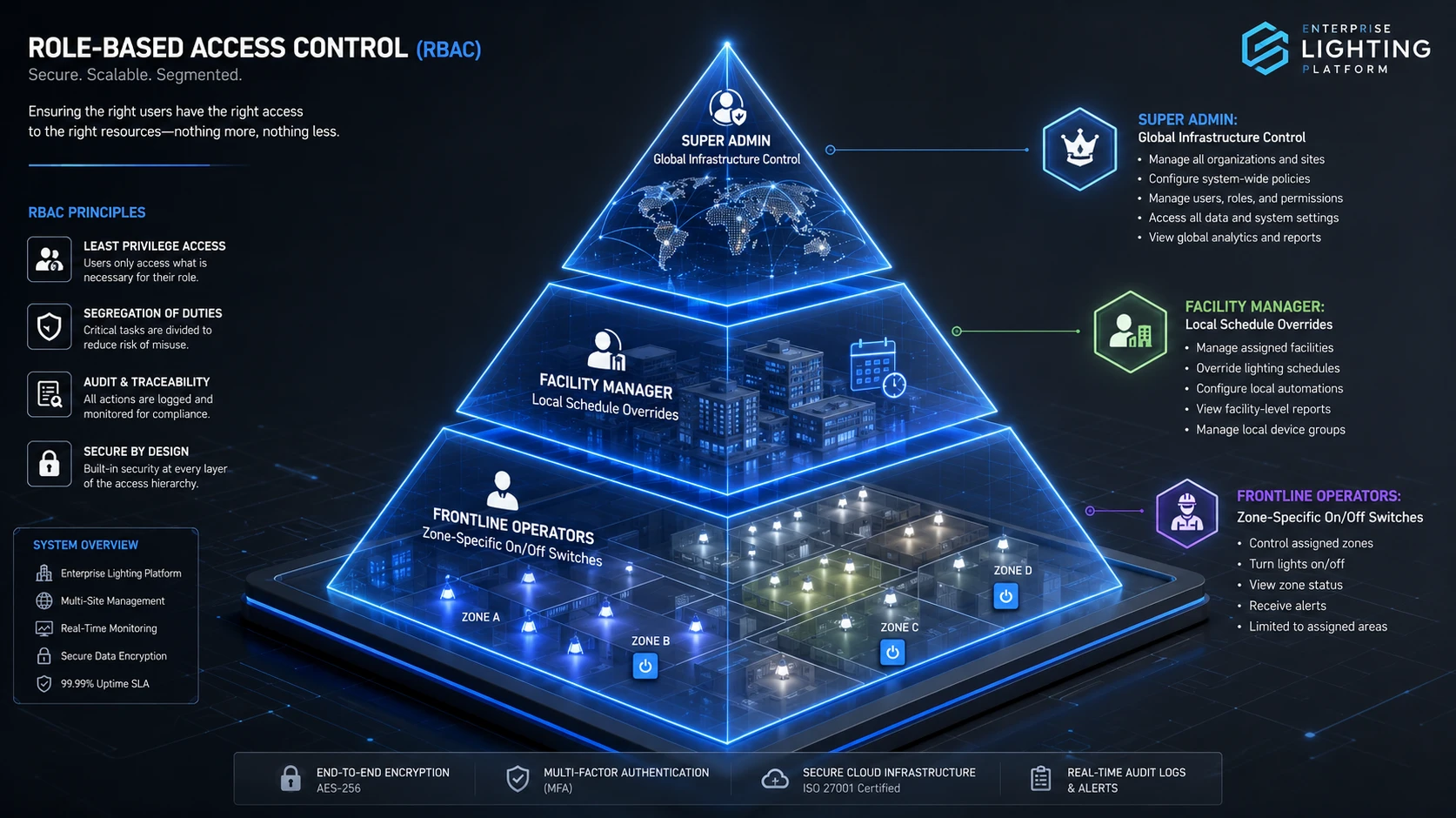
To build a secure app environment, your business must move past simple password protection. You need to implement role-based access control (RBAC). RBAC separates user identities from raw database files by using structured job roles. Instead of managing custom settings for every single worker, managers set up standard access levels based on exact daily job tasks.
Advanced systems achieve this setup through a strict zero-trust authorization workflow. Every single action—such as viewing an order sheet, changing an API key, or exporting data—must pass a live verification check. The system checks the user's role, login IP address, and active session history before granting access to database tables.
This design keeps your app environment completely segregated. Staff members only see the exact tools, views, and forms required for their daily tasks. A marketing specialist cannot view payroll logs, and a warehouse worker cannot change server scripts. This continuous containment ensures that if an employee falls for a phishing scam, your main company core stays safe because it is protected by strong internal security controls.
Reliable corporate data protection requires a detailed permission table that sets clear data boundaries. The matrix below shows how a secure application splits core privileges across different user levels. This layout helps company security teams prevent data leaks and cross-contamination:
| Targeted Enterprise Role | User Interface Privileges | Permitted Database Engine Actions | Operational Risk Mitigation Value |
| System Super Admin | Full configuration control | Global Read, Write, Edit, Delete | Strict limits prevent major system accidents. |
| Compliance Auditor | View history dashboards | Read-only access to system logs | Guarantees clear, unchangeable records for compliance audits. |
| Department Manager | Manage team workspaces | Read, Write, and Edit assigned team fields | Confines data risks within a single corporate department. |
| Standard Employee | Run specific daily tasks | Read and Write personal task fields | Completely blocks views into private company financials. |
| External Vendor | Limited portal access | Read-only access to their supplier files | Eliminates supply-chain risks from third parties. |
| Temporary Contractor | Limited task boards | Time-bound Read and Write for single assets | Automatically blocks user entry after the project ends. |
Using an explicit grid like this entirely removes the problem of "privilege creep." By defining every entry point clearly through identity and access management, companies ensure that user accounts only touch what they need, easily passing strict data safety audits.
To see the true value of clear account segregation and strict security measures, let us look at a security upgrade built for an international logistics provider.
The company used a legacy asset tracking app with over 1,200 active users. This user base included warehouse workers, buyers, and third-party fulfillment partners. The system used a flat file model where every logged-in user received broad "Standard User" status.
Because the app lacked internal boundaries, overseas contractors could easily view manufacturing costs, tax files, and private client contracts that had nothing to do with their jobs. In late 2025, a hacker infected a vendor's computer with malware to steal credentials. Using this account, attackers mapped out the entire system and siphoned thousands of unencrypted data rows before anyone noticed.
The software development team rebuilt the platform's security framework by installing a granular multi user app permissions infrastructure. They split the open system into six isolated roles. To support this new setup, they added three strict platform rules:
Database Row-Level Security (RLS): Supplier portals were restricted to query only their own active shipping orders, completely hiding outside pricing data at the database level.
Just-In-Time (JIT) Elevation: High-risk actions, like bulk data downloads, were locked behind a JIT gate. This grants a temporary, 15-minute access window only after a manager approves it.
Automated Session Closures: The server added automatic token checks that instantly log out inactive users after exactly 10 minutes to protect open office computers.
The business results after launching these new security controls highlight how quickly you can lower corporate data risks. After deploying the updated network architecture, the enterprise achieved the following performance and risk mitigation metrics:
Lateral Network Exploitation Attempts: Dropped to 0% as lateral movement across departments was completely blocked.
Internal Threat Attacking Surfaces Slashed: Reduced by 92%, shrinking the data exposure window dramatically.
Compliance Audit Verification Lead-Time: Cut by 85%, allowing security teams to generate clean data reports in minutes instead of days.
Unmonitored Data Access Overlap Incidents: Completely Cured, ensuring every single user profile operates strictly within its designated boundaries.
Enterprise buyers, tech insurance firms, and risk assessors do not choose business software based on looks alone. Today, software buyers demand proof of Experience, Expertise, Authoritativeness, and Trustworthiness (E-E-A-T). Building strong account protection directly into your application codebase proves your team's engineering professionalism.
When your software code follows trusted industry models—like CISA guidelines or the OWASP framework—it shows expert skill in protecting data.
This clean approach to system safety validates your compliance with global privacy laws, such as GDPR in Europe or HIPAA in North America. Proving that data remains locked within specific user channels reduces sales friction and marks your platform as an authoritative, highly trusted enterprise tool.
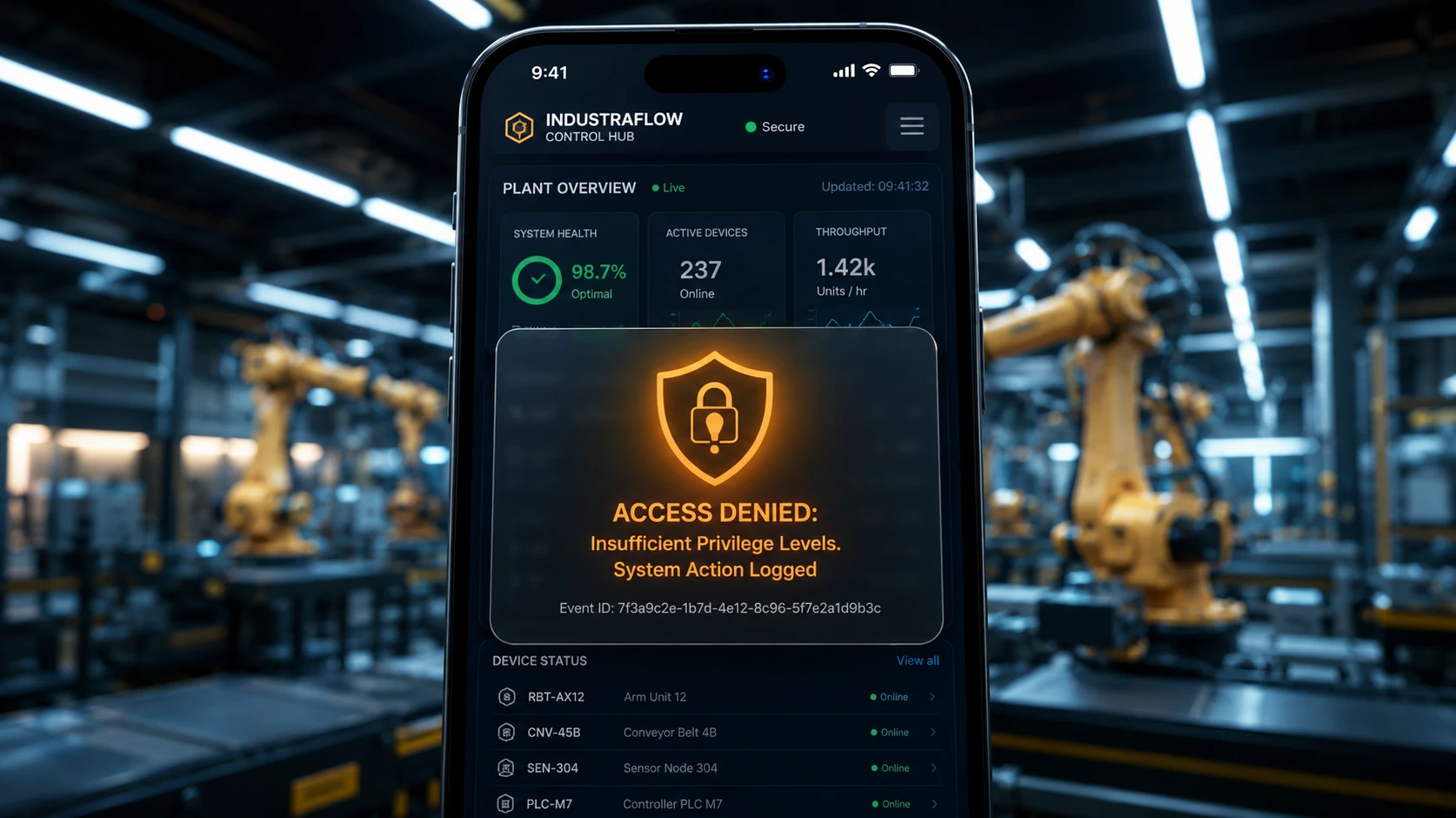
For IT managers and network security experts, checking account privileges across large cloud platforms using manual spreadsheets is a slow, painful task. Older applications lack internal tracking tools, meaning tech teams rarely find account exploits until a costly leak has already occurred.
Upgrading your application to use an intelligent multi-user structure cuts down checking workloads and provides full visibility through unalterable audit trails:
Real-Time Access Alerts: Internal monitoring tools continuously scan system authorization calls. If a basic employee account tries to access restricted database tables repeatedly, the system blocks the user and alerts your security teams.
Unalterable Action History: Every setup change, role update, and data query is saved to a secure, append-only file repository. No user can alter or erase these history files, ensuring a trustworthy record.
Context-Aware Insights: Security dashboards log deep context for every active session. They track device fingerprints, hardware IDs, locations, and network points. This helps defense teams spot and isolate weird behavior before a breach happens.
Modern multinational businesses must work within complex regional privacy laws and data sovereignty mandates. Relying on simple, unmonitored user logins exposes your firm to massive fines and lawsuits if a breach occurs. Deploying an integrated multi-user access setup provides the clear, data-backed proof needed to satisfy international auditors.
| System Defense Layer | Technical Standard Specification | Direct Data Protection Benefit |
| Identity Verification | OAuth 2.0 / SAML 2.0 network layers | Allows safe, fast Single Sign-On (SSO) links across corporate systems. |
| Storage Cryptography | Full AES-256 bit column encryption | Ensures that even if files are stolen, raw text cannot be read without keys. |
| API Boundary Defense | Cryptographic rate limiting | Blocks brute-force password guessing and automated data scraping bots. |
Advanced multi-user platforms handle identity checking through high-speed, serverless cloud directories. This structure lowers the processing demand on local hardware. As a result, companies cut down local office energy use by shifting heavy authentication workloads to optimized cloud datacenters. This setup slashes operating bills, meets green business targets, and keeps company files safe from evolving cyber threats.
Building a major digital infrastructure upgrade requires balancing upfront software development costs against long-term operational value. To get the highest return on investment, technology managers avoid closed, single-brand ecosystems that lock their business into proprietary code. Instead, they choose open-architecture, modular access designs that link easily with current enterprise software.
An open-standard multi-user blueprint offers distinct business advantages:
No Need for Custom Middleware: Standardized API paths link directly with your existing cloud systems, removing the need for expensive custom databases or complex code bridges.
Lower Long-Term Upkeep Costs: Because modular identity blocks use stable code templates, your in-house IT team can manage daily permissions easily. This reduces your reliance on high-priced external tech consultants for simple updates.
Simple, Fast Scaling: As your company grows or re-organizes internal departments, updating an open, plug-and-play permission setup takes just minutes. It requires zero application downtime or expensive recoding.
Using a clean, modular permissions model safeguards your project timeline, slashes development bills, and ensures long-term data protection.
Keeping your business data safe across complex enterprise platforms requires a unified plan. You must match rugged database security with flexible, precise identity controls. Moving away from open, flat networks and shifting to intelligent multi user app permissions layouts protects your project roadmap, satisfies privacy laws, and maximizes long-term data security.
Are you ready to stop internal data leaks, cut down audit friction, and build an unalterable tracking model across your application ecosystems? Do not let loose user accounts or weak security policies harm your corporate reputation. Partner with an industry-tested enterprise software engineering leader to deploy scalable security frameworks tailored to your exact needs.
Do you need technical code integration guides, product sheets, or an exact project price quote? Connect with our specialized engineering advisory desk directly through our
A: Yes. Econley software systems are built to fit perfectly into international business settings. Our access controls work seamlessly with standard single sign-on (SSO) options inside your identity and access management stack, such as SAML 2.0 and OpenID Connect (OIDC). This lets our control systems link directly with your active company directories—like Azure AD, Okta, or Ping Identity—ensuring smooth role updates and automated user control across all workspaces.
A: Yes, absolutely. Our platform includes an agile, low-latency management dashboard that lets system admins change, move, or revoke user privileges instantly. By updating a single master role profile in the Econley control panel, the new database rules and screen visibility settings apply to all linked user accounts across your global network in real time, stopping work delays during company changes.
A: System uptime and reliable data protection are core pillars of the Econley engineering strategy. Our system uses an edge-cached token check model. If a local warehouse loses its web connection, the app switches automatically to an isolated local verification line. All pre-set access permissions, role matrices, and encryption patterns continue to run locally without a glitch, uploading saved security logs back to your cloud hub the moment connection returns.
【Contact us for a free quote】
Related Articles
Automated Lighting Systems: Smart Controls for Commercial and Industrial Buildings


)
)
)
)

+86 15899791249

+86 755 2955 3313


Address: Huafeng No.1 Science and Technology Park, Sanwei, Bao'an District, Shenzhen, Guangdong, China.
