

Time:2026-08-07
A lighting control manual override gives occupants and facility teams a local way to select, dim, group, or recall scenes across several lighting zones. In a commercial control system, the override needs defined priority rules so it works with occupancy sensors, daylight response, schedules, and the lighting management platform.
Facility teams feel the difference in daily use. Clear rules make local control useful; unclear rules create calls to the facilities desk.
Consider a warehouse supervisor who raises light levels at a packing line for an urgent order. If the command disappears when the occupancy sensor times out, the remote feels unreliable. If it overrides the night schedule until someone clears it, the building can run at full output for hours. Neither outcome serves the operation.
The answer is a documented override policy. It tells installers how to configure the system and tells users what each button will do.
Use automation for repeatable conditions. Occupancy sensors respond to presence. Daylight sensors trim electric light near windows. Schedules close down areas that have finished operating. Give the remote the situations that do not fit a repeating rule: cleaning after hours, a late shift, an inspection, a presentation, or a safety check.
The remote should be a local control point inside a larger Networked Lighting Controls (NLC) strategy. LumiEasy's overview of multi-zone lighting remotes in commercial buildings makes the same distinction: the remote provides local interaction, while the wider system handles automation, monitoring, and long-term optimization.
Without a control priority, two valid commands can conflict. A daylight sensor can dim the perimeter zone while an operator recalls a full-brightness inspection scene. A scheduler can issue an off command while a contractor needs a work area lit. Commissioning must decide which command wins, how long it remains active, and how the system returns to normal control.
Write these decisions into the sequence of operations before commissioning begins. A contractor then has a testable brief, and a facility manager has a clear operating rule.
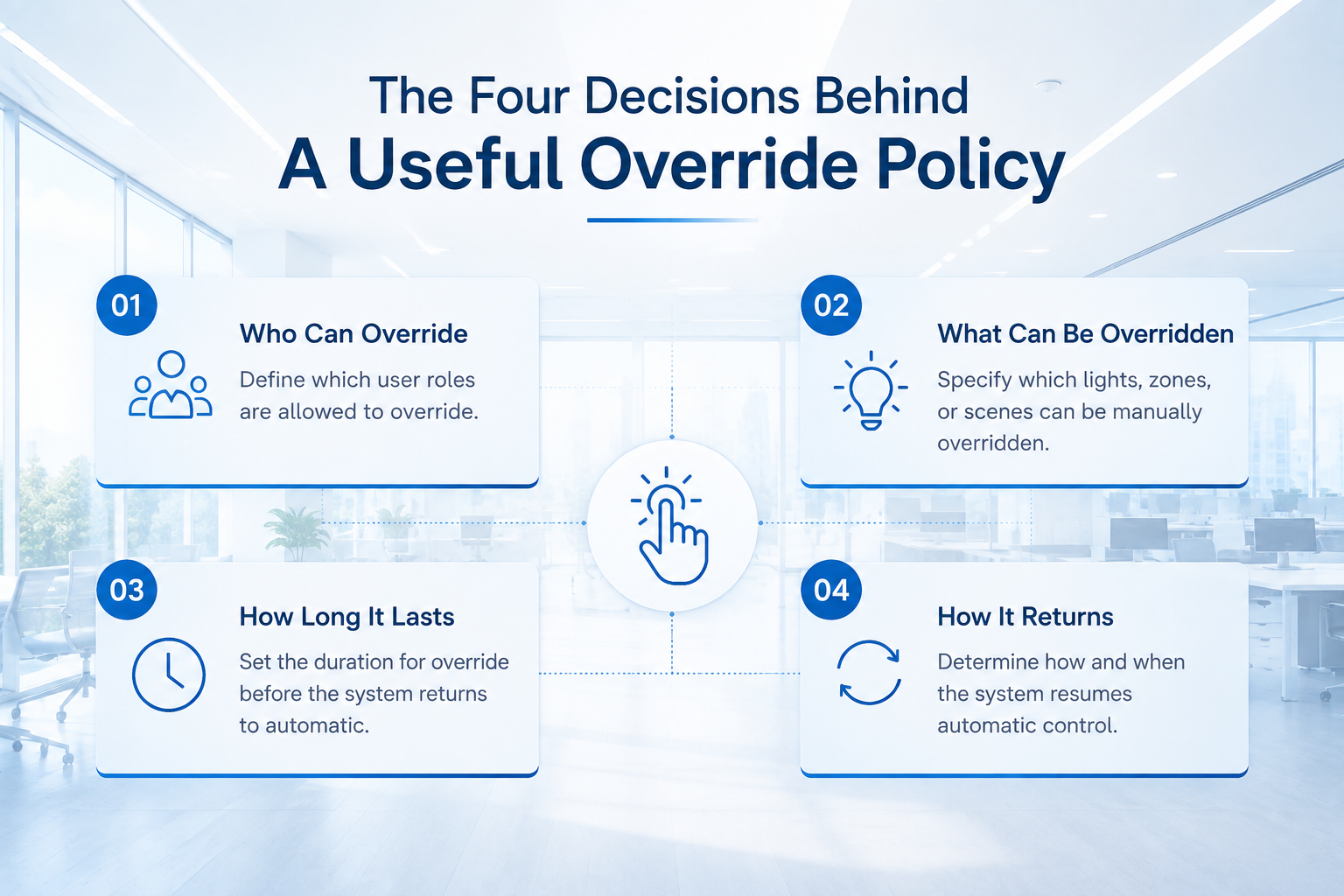
| Decision | Question to settle | Example rule |
Scope | Which zones can the remote affect? | The loading-dock button controls dock bays only, never egress lighting. |
Priority | Does manual input outrank sensors and schedules? | A local scene has priority over daylight dimming for the selected zones. |
Duration | When does the command expire? | A temporary work-light scene returns to automatic control after the approved timeout. |
Authority | Who can invoke or change the command? | Occupants can select approved scenes; the facility team can edit groups and override duration. |
This framework prevents a common retrofit mistake: treating every remote press as a permanent configuration change. A remote command is usually an operating event. The platform configuration should remain under controlled access.
An override needs a clear end point. The correct duration depends on the activity and the energy code adopted for the project. Local codes and the project specification take precedence over any generic setting.
Use a short, time-limited override for a meeting room, a storage aisle, or a cleaning zone. Use a staffed-event scene for an area where a responsible person remains present. Use a controlled facility-level override for emergency procedures, maintenance isolation, or security events. Do not use a handheld remote to manage required emergency lighting unless the listed system design and local code allow that function.
ASHRAE's lighting-controls guidance includes functional testing of schedules, sensors, daylight controls, and override behavior. That is a useful reminder for project teams: a remote is not finished when it pairs with the network. Its interactions must be tested in the installed space. Read the ASHRAE guidance.
Use a priority model that field teams can explain in one minute. The exact order will vary by project, yet this pattern works as a starting point for many commercial sites.
Life-safety and code-required functions control the relevant loads according to the approved design.
Authorized maintenance or security commands take control of the approved zones for a recorded period.
Local remote scenes and temporary overrides control selected zones for a defined duration.
Occupancy, vacancy, and daylight controls resume when the local command ends.
Schedules and energy-management rules provide the normal operating baseline.
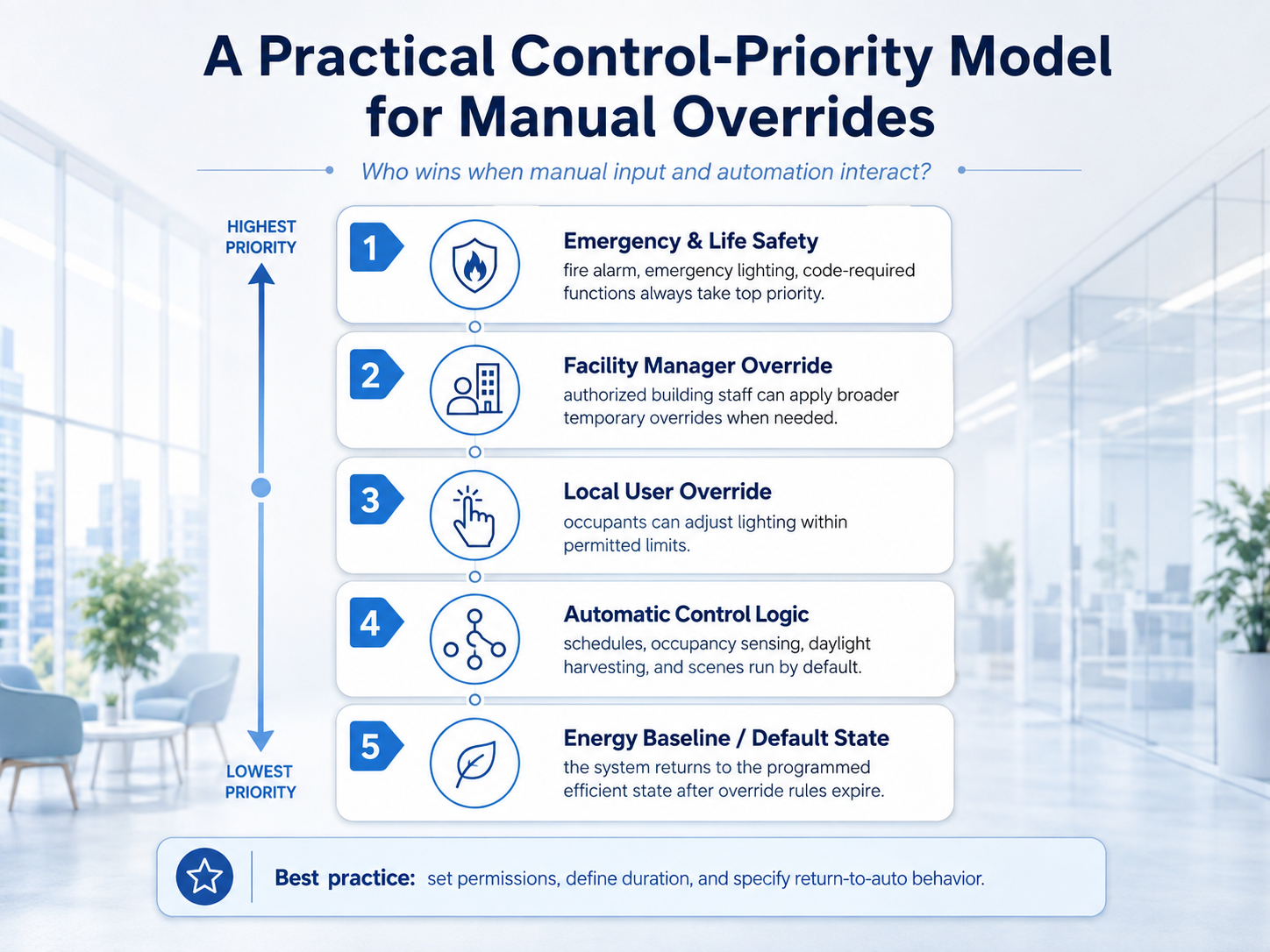
The priority model must state one more rule: what happens if a higher-priority command ends. In most occupied-space use cases, the zone should return to the active automatic logic rather than stay at the remote's last dimming level. That return behavior protects the energy plan and keeps the system predictable for the next user.
A remote can only offer useful control when the zones reflect how the building operates. Room boundaries help, but they are rarely enough.
For a distribution center, separate loading docks, pick aisles, packing stations, break rooms, and office areas when they have different work patterns, daylight conditions, or maintenance responsibility. For an office, separate perimeter daylight zones from interior workstations, meeting rooms, circulation paths, and flexible collaboration areas. Give each remote label a name users recognize at a glance.
LumiEasy's guide to choosing a 0-10V multi-zone dimming remote recommends basing zones on occupancy, daylight, work schedules, required light levels, override needs, sensor coverage, and maintenance responsibility. Those inputs apply whether the fixtures use 0-10V, DALI, or a compatible wireless controller.
Avoid two extremes:
One large zone makes the remote easy to label and hard to use with precision.
A button for every small area gives users a dense, fragile interface.
Build zones around decisions people need to make during a shift. Group adjacent areas only when they share the same lighting response and the same operator.
Imagine a warehouse with four control groups: receiving, high-bay storage, packing, and offices. The building uses occupancy sensing in the storage aisles, daylight response near dock doors, and a schedule that reduces nonessential lighting after the day shift.
At 6:15 p.m., a supervisor starts an unscheduled packing run. They select the packing zone on the local controller and recall a task-light scene. The packing zone reaches its approved work level. The storage aisles retain their occupancy response, and the office schedule continues. After the agreed override period, the packing zone returns to its normal sensor and schedule logic.
This sequence gives the supervisor the control they need without forcing a whole-building override. It also gives the facility team a simple question to investigate if energy use rises: which zone was overridden, by whom, and for how long?
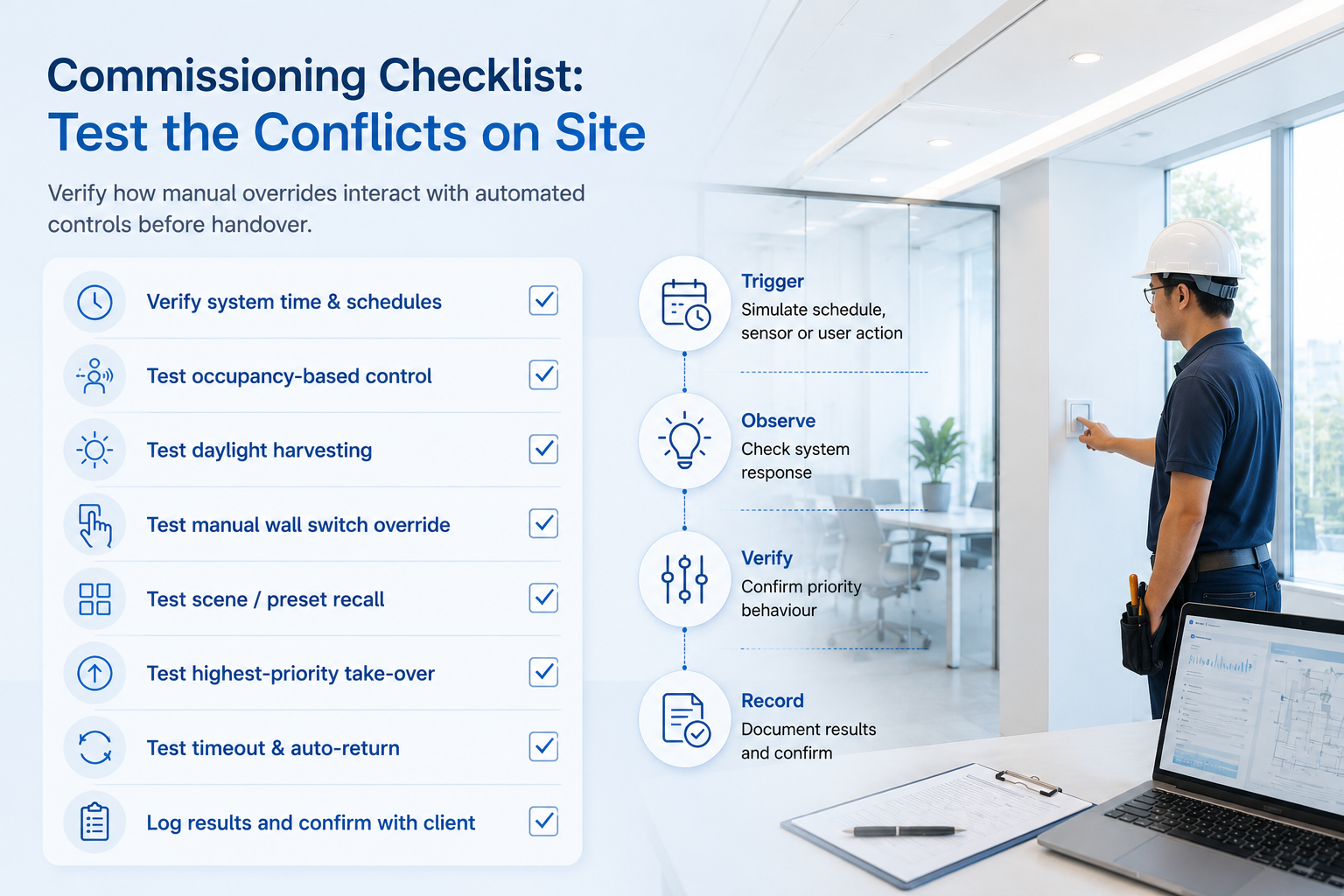
Pairing a remote and assigning zone buttons are only the first steps. Run a functional test with the actual sensor settings, scenes, schedules, and network paths in place.
Test | What the team should verify |
Zone selection | Each button reaches the intended fixtures and no adjacent zone responds by mistake. |
Scene recall | The required dimming levels and fade behavior match the approved scene schedule. |
Daylight interaction | A local scene follows the documented rule when daylight controls are active. |
Occupancy interaction | The selected zone behaves as specified when occupancy ends during an override. |
Schedule interaction | Scheduled events either respect or end a temporary override according to the sequence of operations. |
Recovery | After timeout, power interruption, or gateway restart, the zone returns to the approved normal state. |
Access control | Only authorized users can alter zone assignments, durations, and system-wide commands. |
The U.S. Department of Energy's lighting control system selection guide also stresses defining objectives, system capabilities, architecture, and documentation. Treat the remote configuration as part of that documentation package. Include zone maps, button labels, scene levels, override durations, and the person responsible for future changes.
Ask the supplier and system integrator for answers to these questions before ordering hardware.
Daily operation needs more than all-on and all-off. Confirm that users can select a single zone, a planned group of zones, and approved scenes without changing the commissioning setup.
Users need feedback. A button indicator, app status, or platform record should make it clear that an override is active and show when it will end. Hidden overrides cause avoidable troubleshooting work.
An occupant may need to recall a meeting scene. They should not need the ability to reassign every room on the floor. Confirm the permission model for the remote, mobile app, gateway, and lighting management platform.
Confirm compatibility with the fixture driver interface, controllers, sensors, gateways, and the selected wireless protocol. For a Bluetooth Mesh lighting control project, also document the commissioning method, device-reset process, and the location of the project records. Use the commercial multi-zone remote guide as a starting point for the relationship between local control and the broader system.
Buildings change. A warehouse gains a new packing line. An office converts desks into training space. Select a system that lets authorized staff update zone assignments and preserve a record of the change. The Department of Energy notes that networked controls can support remote zoning, programming, calibration, and data collection when the system provides those capabilities. See the DOE exterior controls guidance.
A manual override is a local command that changes the light state of selected zones for an approved purpose, such as a meeting, cleaning task, inspection, or late shift. The commissioning plan should define its priority, duration, and return-to-normal behavior.
No. The override gives occupants and facility staff local control. Sensors and schedules provide the automatic control layer. A well-commissioned system defines how those layers interact.
No. Use a documented priority and time limit. Some local scenes should take priority for a short period; others should remain subject to the schedule. The project sequence of operations and local code determine the correct setting.
It can when the lighting control system includes compatible controllers and commissioning support. Confirm the driver interface, control protocol, gateway requirements, and fixture compatibility before purchase.
Ask for a zone map, remote-button legend, scene list, control-priority sequence, sensor settings, schedules, override durations, device inventory, commissioning records, and support contact details.
A local override works best when it gives users a controlled exception path, not unrestricted control over the building. Set the zone boundaries around real work. Give each command a priority and an end point. Test conflicts before handover. Then document the rules where the facility team can use them.
LumiEasy supports commercial wireless lighting-control projects that need practical local interaction alongside sensors, schedules, gateways, and centralized management. Contact the LumiEasy team to discuss a manual override workflow for your retrofit or new-build project.
U.S. Department of Energy: Selecting Lighting Control Systems
U.S. Department of Energy: Exterior Lighting Controls Guidance


)
)
)
)

+86 15899791249

+86 755 2955 3313


Address: Huafeng No.1 Science and Technology Park, Sanwei, Bao'an District, Shenzhen, Guangdong, China.
